Home Workspace Community Achievements Features Pricing About Us
Arduino lab · in your browser

Design your circuit. Simulate it with KiwisCAD.

Wire parts, write your sketch, and watch pins respond live — no install and no board required.

kiwiscad.app — circuit preview Live
D1
220Ω R1
D13 → LED → 220Ω → GND
D13 LOW
50+ Virtual Components
3+ Microcontrollers
100% In-Browser Workflow
Auto Cloud Saving
Platform Capabilities

A Complete Embedded Lab in Your Browser

Explore how KiwisCAD helps you move from circuit design to running firmware — step by step, without desktop tools.

01 — Design

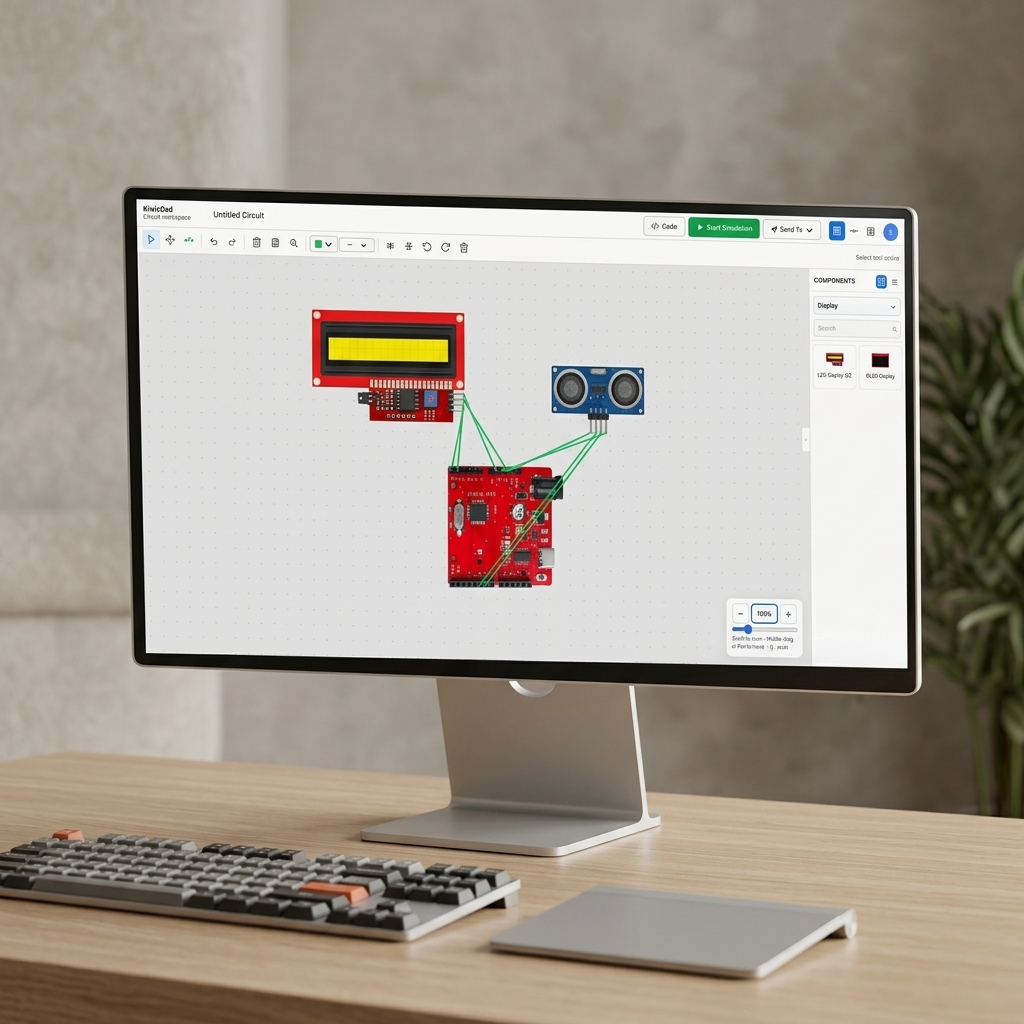
Visual Circuit Editor

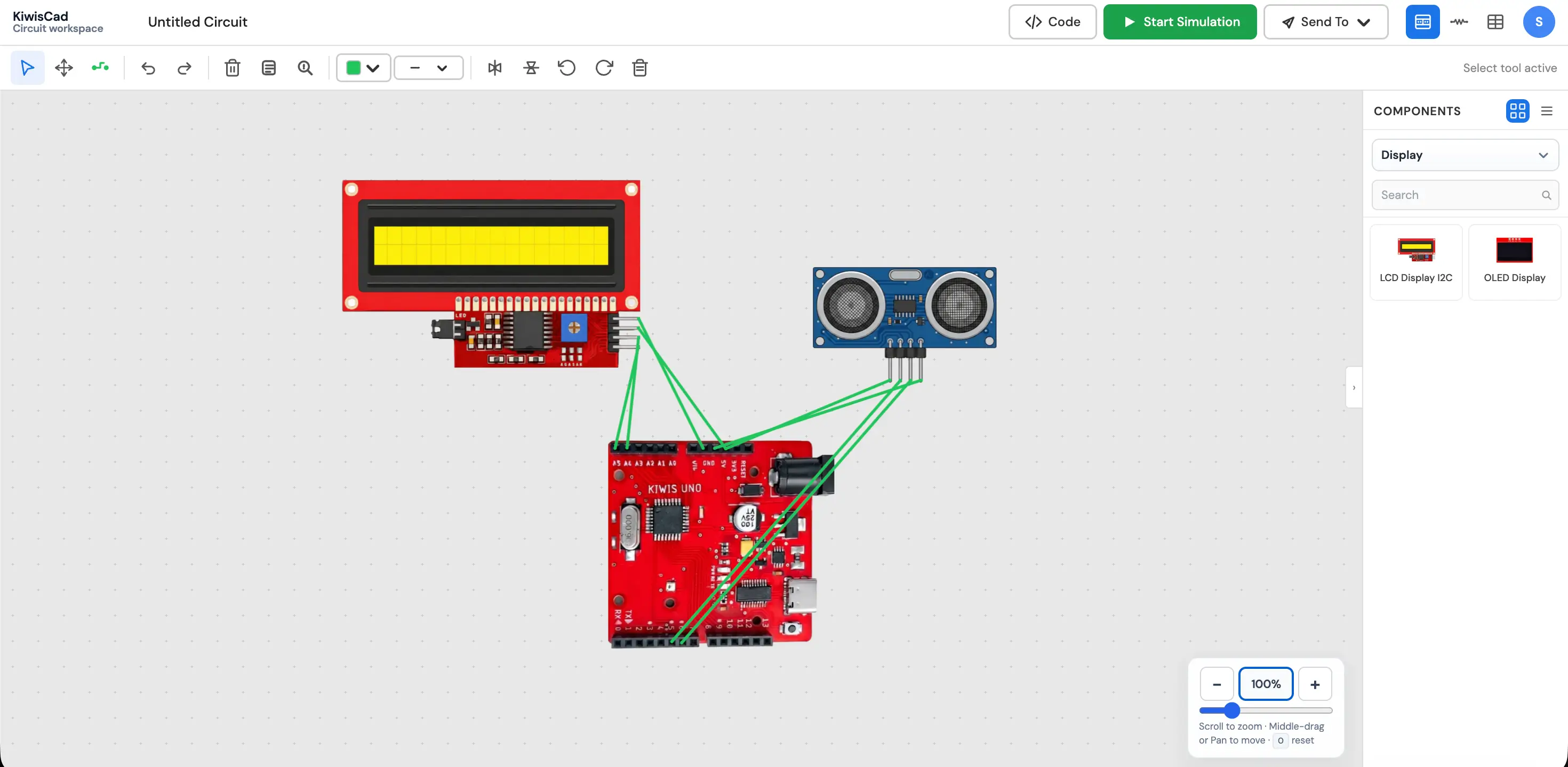
Build your circuits on a beautiful virtual canvas. Drag and drop your Arduino and components, and connect their wires easily before writing any code.

  • Drag & drop components
  • Clean virtual workspace
  • Easy flexible wiring
Visual Circuit Editor — canvas workspace
02 — Core

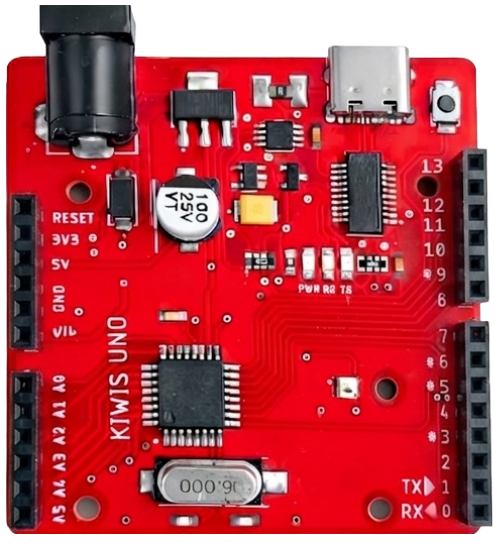
Microcontrollers

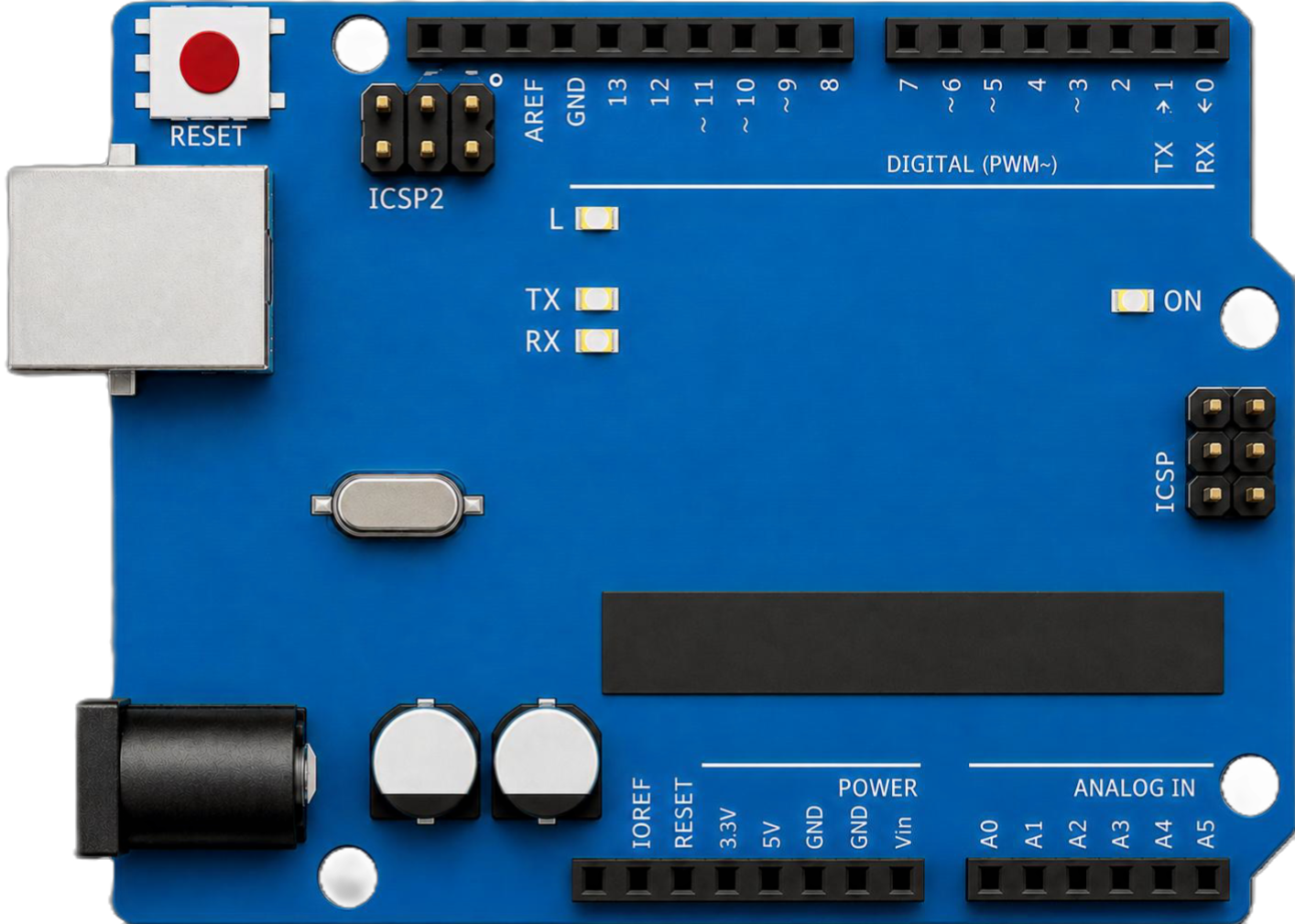
Your code runs on a built-in simulator that mimics a real microcontroller. It handles all the pins, signals, and math just like the physical board.

  • Real microcontroller behavior
  • Real-time signals
  • No hardware needed
Kiwisuno board
03 — Develop

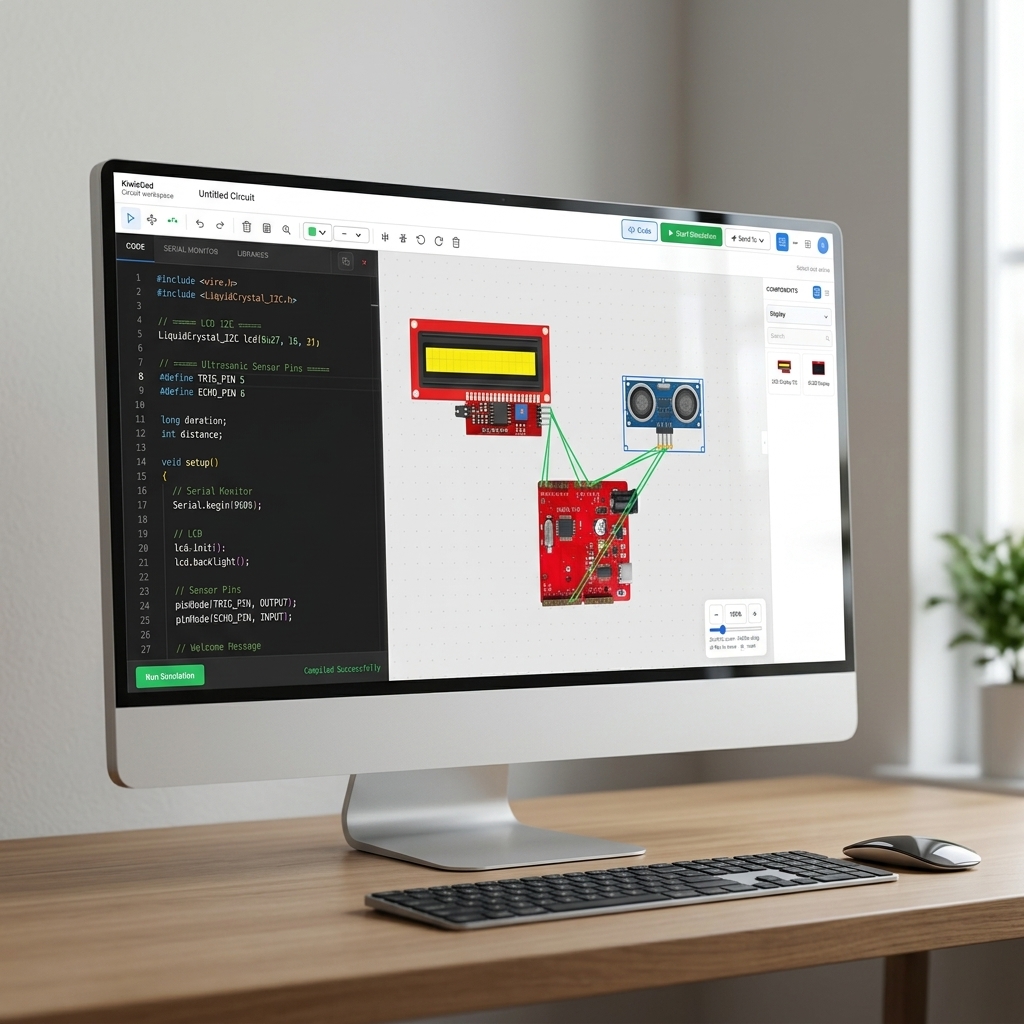
Built-In Code Editor

Write your Arduino code directly in the browser using our powerful editor. Hit compile, and your code is instantly ready to run and test.

  • Write code in browser
  • Fast cloud compiling
  • Instant testing
Integrated Code Editor
04 — Hardware

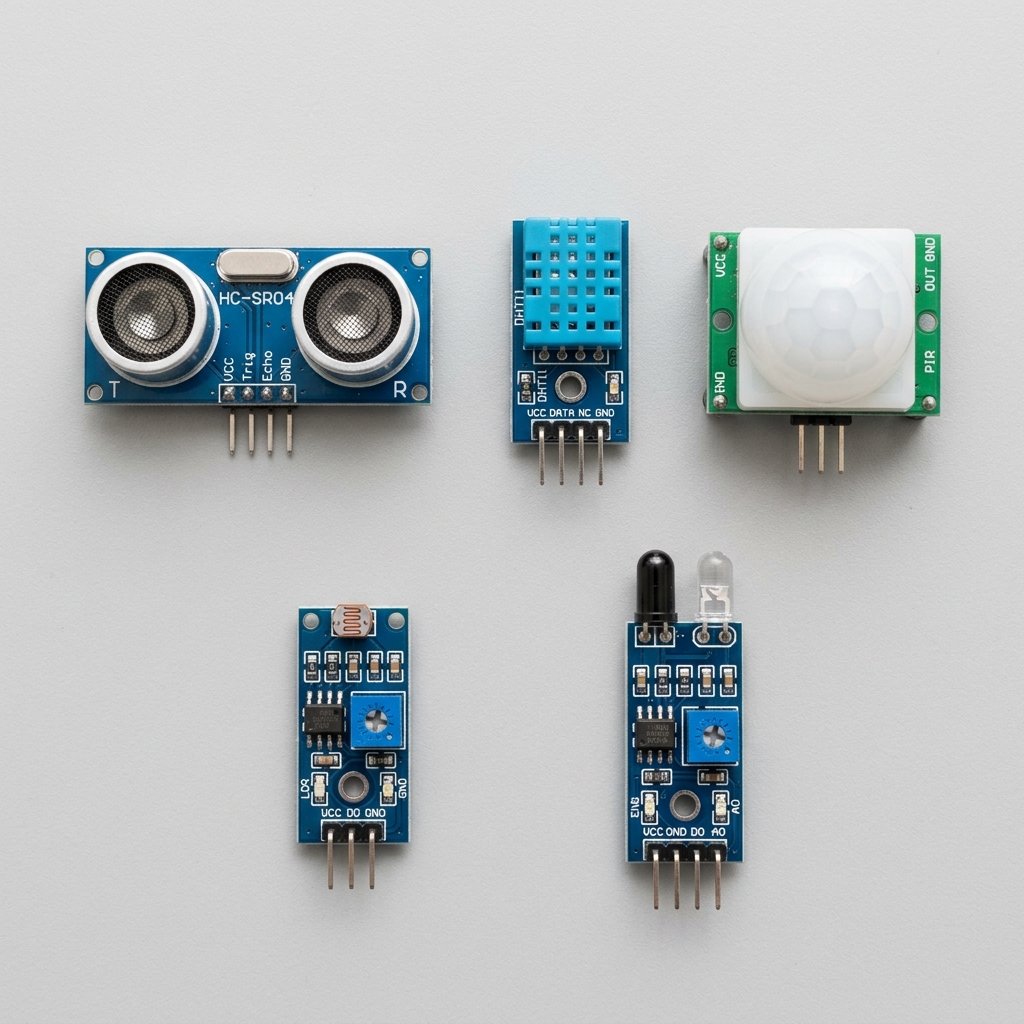
Wide Range of Sensors

Experiment with a variety of virtual sensors including Ultrasonic distance, DHT temperature, PIR motion, light sensors, and IR obstacle detectors.

  • Ultrasonic & motion
  • Temperature & humidity
  • Light & IR detection
Sensor Models
05 — Debug

Serial Monitor

Watch your Serial output live while your simulation runs. Print sensor values and catch issues early without needing a USB cable.

  • Live data output
  • Easy print debugging
  • No upload needed
Serial Monitor
06 — Learn

Interactive Tutorials

Learn quickly with interactive, step-by-step tutorials. Follow along to build circuits, write code, and simulate projects right in your workspace.

  • Step-by-step guides
  • Interactive learning
  • Build real projects
Interactive Tutorials
The Editor

One Workspace for Wiring, Code & Simulation

Open the KiwisCAD editor to place components, write firmware, compile sketches, and watch your circuit respond in real time — no separate tools required.

kiwiscad.app — circuit-001.kws
Live Simulation

From Breadboard to Running Code in 3 Steps

Follow the same workflow you use on the bench — design the circuit, write the sketch, then compile and simulate — entirely inside KiwisCAD.

Step 01

Wire Your Circuit

Place a real microcontroller, wire up an LCD display, and connect an Ultrasonic sensor. Validate your hardware layout before writing any code.

  • Drag-and-drop 50+ components
  • I2C modules and sensor wiring
  • Flexible wire routing with pin snapping
Step preview
Community Feedback

Trusted by Embedded Builders

Hear from engineers, students, and makers who use KiwisCAD to prototype Arduino projects faster.

Frequently Asked Questions

KiwisCAD is an online playground where you can build and test circuits directly in your browser. You can drag and drop components, write code, and watch your virtual project come to life in real time—no physical boards or tools needed!

Not at all! KiwisCAD runs entirely in your web browser (like Chrome, Edge, or Firefox). Just open the website, and you're ready to start building immediately without downloading any software.

KiwisCAD currently targets real microcontrollers. You can wire up your virtual board, write code, and test its input/output pins just like physical hardware. Support for additional board types is planned for future updates.

Simply head over to the Examples Gallery and click Launch in Editor on any starter project (like the LED Blink). It opens a fully pre-wired workspace that you can run with a single click to see how the project behaves!

Instead of buying physical parts, wiring them by hand, and dealing with loose connections, KiwisCAD lets you do everything visually in your browser. It combines circuit design, code writing, and testing in one simple screen with easy cloud saving and community sharing.

No questions in this category yet.